
As an e-commerce seller, processing a handful of orders a day is easy. But when your business starts to scale, handwriting addresses or cutting and taping labels printed from a standard inkjet printer becomes a massive drain on your time and profits.
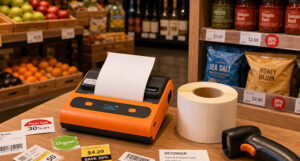
To keep up with growing demand, a dedicated shipping label printer is a must-have tool for any online business. It streamlines your fulfillment process, reduces errors, and gives your packages a professional look. If you are ready to upgrade your logistics, here is a practical guide to choosing the right printer for your online orders.
The Importance of the 4×6 Label Standard
When it comes to e-commerce shipping, size matters. The 4×6 inch (100x150mm) label is the universal standard for major global carriers, including UPS, FedEx, USPS, and DHL. Furthermore, major e-commerce fulfillment networks like Amazon FBA require this exact dimension for inbound shipments.
When choosing a printer, you must ensure it supports a print width of at least 4 inches. Buying a smaller receipt or tag printer by mistake will leave you unable to generate compliant shipping labels, causing unnecessary delays in your dispatch process.
Multi-Platform Compatibility for Seamless Workflows
A good shipping label printer should adapt to your business, not the other way around. Your hardware needs to integrate seamlessly with the software ecosystem you already use.
Look for a printer that is compatible with:
- E-commerce Platforms:Shopify, WooCommerce, BigCommerce, Amazon, and eBay.
- Shipping Software:ShipStation, Shippo, Pirate Ship, and Endicia.
- Operating Systems:Ensure broad compatibility across Windows and macOS. If you prefer a mobile workflow, look for Bluetooth or Wi-Fi models that support iOS and Android printing.
Bulk Shipping Efficiency: Speed Matters
During peak shopping seasons like Black Friday or holiday sales, you might need to process hundreds of orders in a single day. A standard office printer will jam, overheat, or run out of ink.
A commercial-grade shipping label printer is built for bulk shipping efficiency. Look for devices with a high print speed (e.g., 150mm/s or more). At these speeds, a thermal printer can output a 4×6 shipping label in less than a second, allowing you to breeze through your daily order queue without interruption.
Managing Consumable Costs: The Zero-Ink Advantage
One of the biggest hidden costs of traditional printing is ink and toner. Dedicated shipping label printers use direct thermal technology, which means the printhead applies heat directly to the label to create the image. You will never have to buy another ink cartridge again.
However, you still need to buy label rolls. To keep consumable costs low, avoid printer brands that force you to buy their expensive, proprietary labels. Instead, choose a flexible printer that accepts standard, third-party thermal labels in both roll and fan-fold formats.
Upgrade Your E-commerce Logistics with Detonger
Fulfillment shouldn’t be a headache. Equipping your packing station with the right thermal shipping label printer will instantly boost your daily dispatch capacity and lower your long-term running costs.
With over 16 years of expertise, Detonger manufactures reliable, high-speed labeling equipment trusted by global e-commerce sellers. Our printers are designed for durability, multi-platform compatibility, and cost-effective operation.
Ready to streamline your fulfillment and cut down on shipping times?