WePrint Label Design & Printing Software
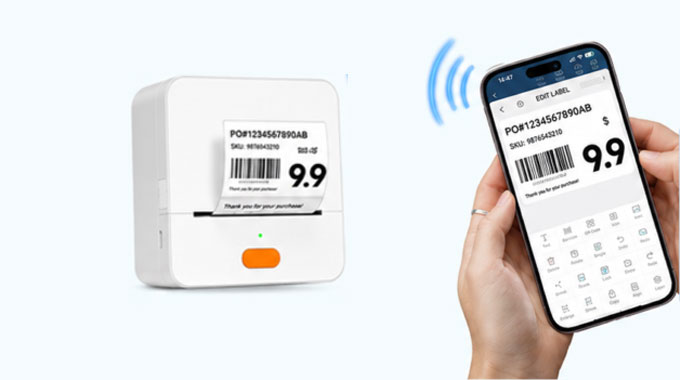
Design, edit, and print professional labels from your desktop browser, Android device, iPhone, or iPad. Create barcodes, QR codes, product labels, inventory labels, cable labels, and reusable templates with flexible web and mobile workflows.
Powerful Label Design Features
Create custom labels, manage business data, and print efficiently through the WePrint web platform or mobile app.
Label Template Design
Create reusable label templates for retail, office, warehouse, product, asset, and inventory labeling.
Custom Layouts · Reusable Templates · Multiple Sizes
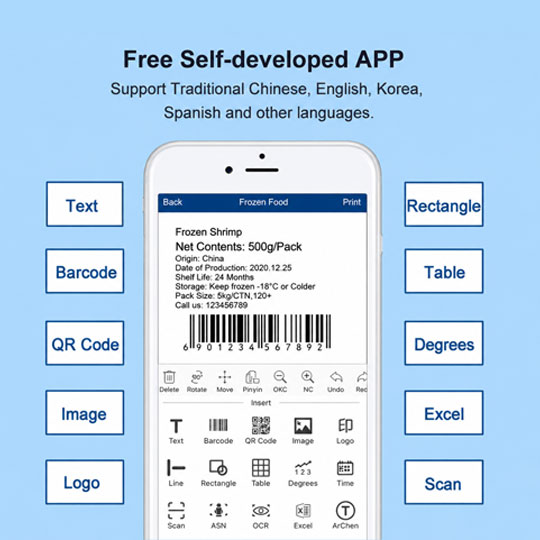
Barcode Generation
Generate barcodes for product identification, inventory management, asset tracking, and business workflows.
Product Codes · Inventory · Asset Tracking
QR Code Printing
Create QR code labels for product information, digital access, online content, and scan-based workflows.
QR Links · Product Information · Scan Access
Batch Printing
Print multiple labels efficiently for daily business, inventory, warehouse, and logistics operations.
Multiple Records · Fast Printing · Business Efficiency
Excel & CSV Data Import
Import supported product, inventory, or asset data to reduce manual entry and improve variable-data printing accuracy.
Excel · CSV · Variable Data
Multilingual Templates
Create multilingual label templates for different countries, markets, languages, and international business requirements.
Multiple Languages · Global Markets · Localized Labels
Text, Icons & Graphics
Add text, icons, symbols, images, logos, lines, shapes, and graphics to customize label designs.
Text · Images · Logos · Shapes
Web & Mobile Support
Design, preview, and print labels through the desktop web platform or supported Android and iOS mobile workflows.
Web Editor · Mobile App · Label Preview · Printing
Powerful Label Design Features
Create custom labels, manage business data, and print efficiently through the WePrint web platform or mobile app.
Step 1 — Choose Your Platform
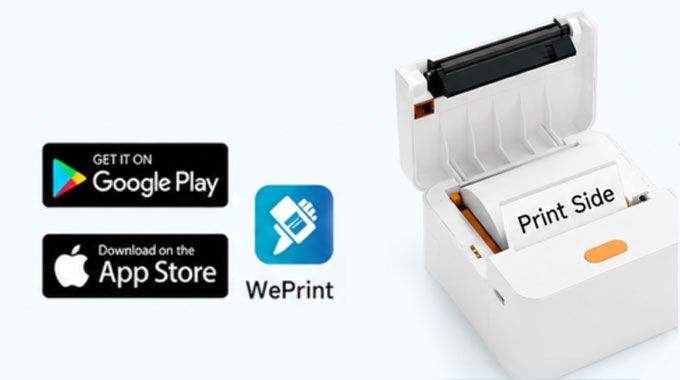
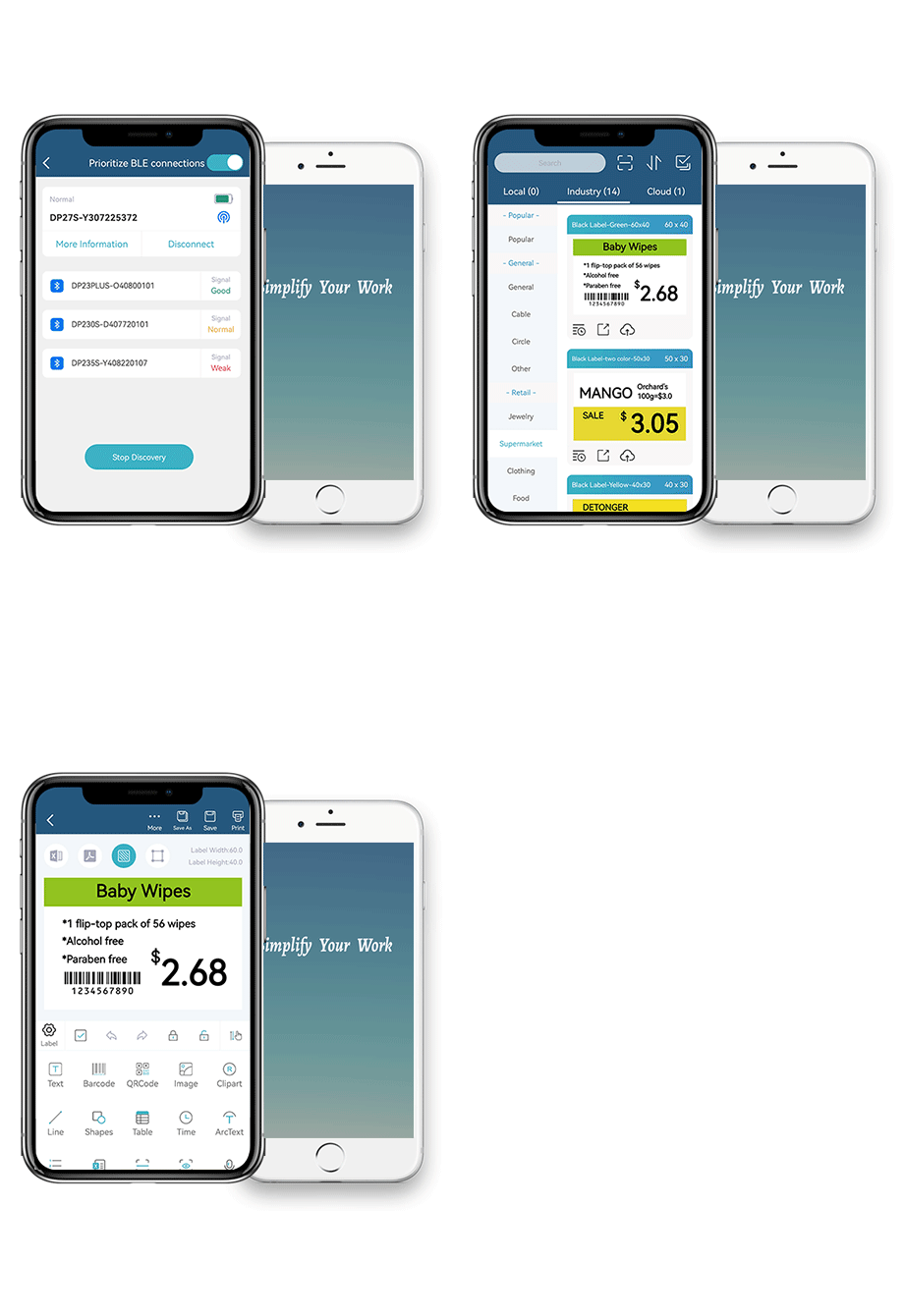
Open the WePrint web version on your desktop browser, or download the mobile app for Android or iOS.
Step 2 — Connect Your Printer
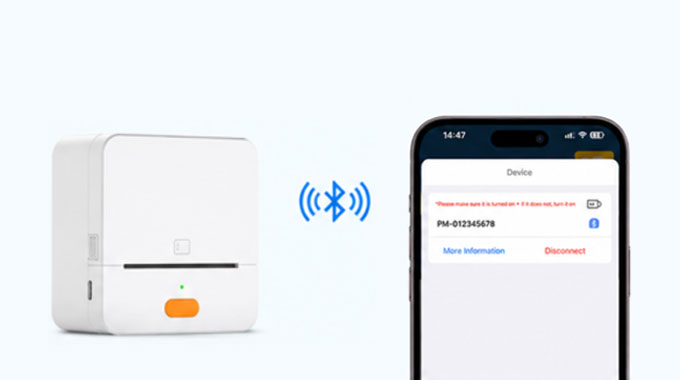
Turn on your supported printer and complete the connection according to the web or mobile printing workflow.
Step 3 — Design or Import
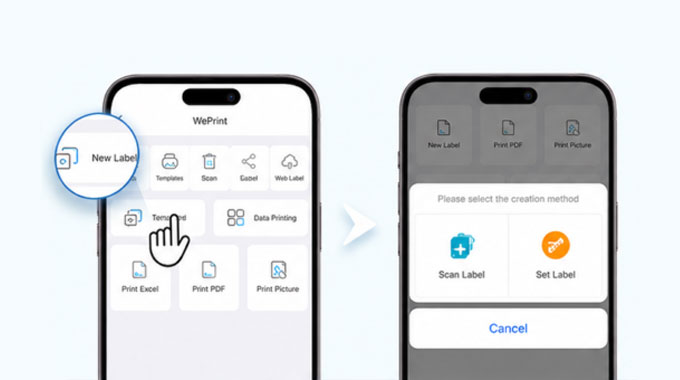
Select a template or create a label with text, barcodes, QR codes, images, logos, and imported business data.
Step 4 — Preview and Print
Check the label layout, select the printing quantity, and send the print job to the connected printer.
WePrint Web Version
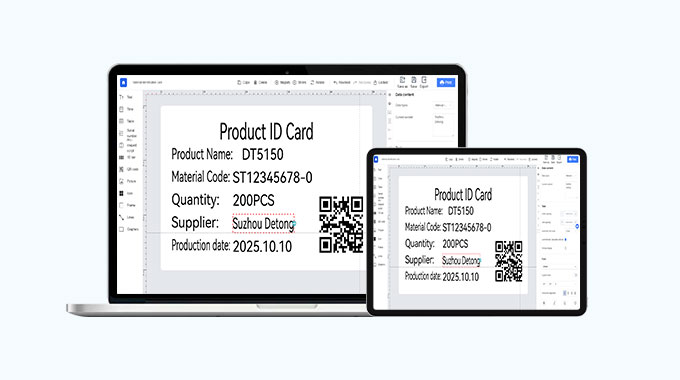
Open WePrint in your desktop browser to design templates, manage label elements, preview layouts, and operate supported printing workflows from a larger workspace.
WePrint Software FAQs
Is there a web version of WePrint?
Yes. WePrint provides a browser-based platform that can be opened from a desktop browser for supported label design and printing workflows.
Is WePrint available for Android and iOS?
Yes. Mobile versions are available for supported Android devices, iPhones, and iPads.
Can I create the same label templates on web and mobile?
Both platforms support label design workflows, but available tools, template management, synchronization, and printing options may vary by platform and software version.
Can I import Excel or CSV data?
Supported versions allow spreadsheet data to be used for product, inventory, asset, and variable-data label printing. Available formats and import methods may vary by platform and software version.
Key Benefits
- Easy-to-use label design and printing software
- Supports barcode, QR code, and custom labels
- Batch printing and database integration
- Compatible with handheld, portable, and industrial label printers
Call to Action
Download a free trial or explore our professional label printing software for efficient labeling.