
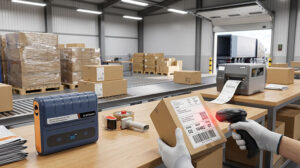
When you first launch an online store, fulfilling a few orders a day is a simple task. But as your business grows, using a standard desktop printer to print paper labels, cutting them to size, and taping them to boxes quickly becomes a logistical nightmare. It drains your time, wastes expensive ink, and increases the risk of damaged barcodes.
To scale your e-commerce operations successfully, investing in a dedicated thermal printer for shipping labels is one of the smartest upgrades you can make. By streamlining your packing process, you can dispatch orders faster and save money on every package. Here is a practical guide on how to choose the right thermal printer for your online orders.
The Essential 4×6 Shipping Label Standard
In the e-commerce and logistics industry, size is everything. The 4×6 inch (100x150mm) label is the universal standard required by major carriers such as UPS, FedEx, USPS, and DHL. Additionally, massive fulfillment networks like Amazon FBA rely on this exact dimension for their inbound shipments.
When evaluating a thermal printer for shipping labels, the absolute first requirement is ensuring it supports a print width of at least 4 inches. Buying a narrower receipt printer by mistake will leave you unable to print compliant logistics labels.
Seamless E-commerce Platform Compatibility
A high-quality shipping printer should eliminate friction in your workflow, not create it. Your hardware must integrate seamlessly with the software ecosystem you already use to manage your store.
Before purchasing, verify that the printer is fully compatible with:
- E-commerce Platforms:Shopify, WooCommerce, BigCommerce, Etsy, and Amazon.
- Shipping & Fulfillment Software:ShipStation, Shippo, Pirate Ship, and Endicia.
- Operating Systems:Ensure reliable drivers for Windows and macOS. If your team uses mobile workflows, consider a model with Bluetooth or Wi-Fi capabilities for smartphone and tablet printing.
Bulk Shipping Efficiency and High-Speed Printing
During peak promotional events like Black Friday, Cyber Monday, or holiday rushes, your order volume can skyrocket overnight. Standard office printers are not built for this; they jam, overheat, and force you to wait.
A commercial-grade thermal printer is designed for bulk shipping efficiency. Look for devices offering high print speeds—typically around 150mm/s. At this speed, the printer can output one 4×6 label per second, allowing your packing team to breeze through massive daily order queues without interruption.
Cutting Costs with Inkless Technology and Open Consumables
One of the biggest advantages of upgrading to a thermal printer for shipping labels is the elimination of ink and toner costs. Direct thermal technology uses a heated printhead to activate chemicals in the label paper itself, instantly creating dark, smudge-proof barcodes. You will never buy an ink cartridge again.
However, be cautious of consumable traps. Some printer brands require you to buy their proprietary, micro-chipped labels at premium prices. To keep your long-term running costs low, always choose a printer that accepts standard, third-party thermal labels in both roll and fan-fold formats.
Streamline Your Fulfillment with Detonger Solutions
Fulfillment bottlenecks shouldn’t limit your business growth. By equipping your packing stations with the right thermal printing technology, you can significantly boost your daily dispatch capacity while lowering material costs.
With over 16 years of manufacturing expertise, Detonger provides high-speed, durable labeling equipment trusted by e-commerce businesses worldwide. Our commercial printers offer multi-platform compatibility, inkless efficiency, and the rugged reliability needed for high-volume warehouses.
Ready to streamline your fulfillment and lower your shipping costs?
[Get a Shipping Label Printer Quote]
Or reach out to our team to find the perfect labeling solution for your business!